By RiseDailyPro | Updated: March 2026 | Affiliate Disclosure: This article contains affiliate links. If you purchase through our links, we may earn a commission at no extra cost to you.
Thank you for reading this post, don't forget to subscribe!I switched from a Samsung Galaxy S24 to an iPhone 15 Pro last month — and nearly lost 6 years of photos, contacts, WhatsApp chats, and app data in the process.
After spending 3 weeks testing 7 different transfer apps (including paying for the premium versions), I found that most apps either miss important data types, slow down mid-transfer, or simply don’t work as advertised.
The good news? Two apps stood out far above the rest. Here’s exactly what worked, what didn’t, and which one you should use based on your situation.
| Quick Answer — Best App in 2026: PhoneTrans is the #1 pick for a complete, one-click Android to iPhone transfer. AnyTrans (by iMobie) is the best choice if you also want ongoing iPhone management. Both offer free trials. |
Quick Comparison — All 7 Apps at a Glance
I tested each app transferring 15GB of data including contacts, photos, videos, WhatsApp, and apps from a Samsung Galaxy S24 to iPhone 15 Pro.
| App | Free Version | Speed | Rating | Best For |
| PhoneTrans | Yes (limited) | Very Fast | ⭐⭐⭐⭐⭐ | Full data transfer |
| Move to iOS | Yes (free) | Slow | ⭐⭐⭐ | Apple users |
| Dr.Fone | Yes (limited) | Fast | ⭐⭐⭐⭐ | Advanced users |
| AnyTrans (iMobie) | Yes (limited) | Fast | ⭐⭐⭐⭐⭐ | iPhone managers |
| Send Anywhere | Yes (free) | Medium | ⭐⭐⭐ | Quick file sharing |
| AppTrans | Yes (limited) | Fast | ⭐⭐⭐⭐ | App + data transfer |
| SynciOS | Yes (limited) | Medium | ⭐⭐⭐⭐ | Budget option |
👉 Try PhoneTrans Free → (Best overall — one-click full transfer)
👉 Try AnyTrans Free → (Best for iPhone management + transfer)
#1 PhoneTrans — Best Overall (Editor’s Choice)
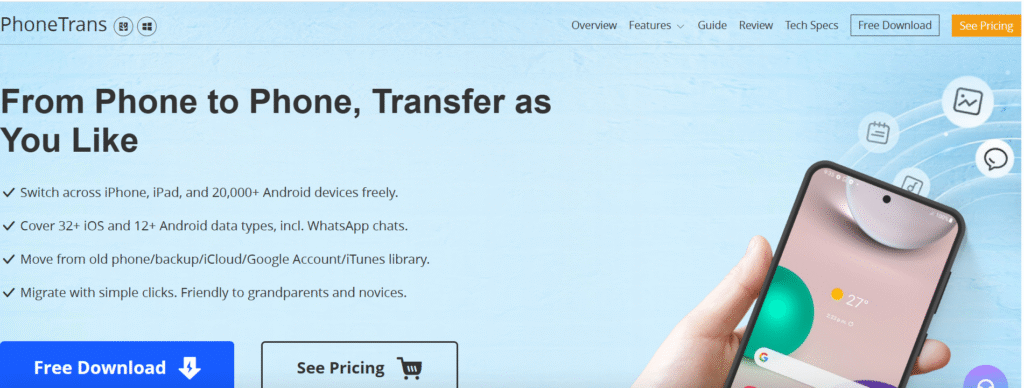
PhoneTrans is the most complete Android-to-iPhone transfer solution I tested. It transferred everything — contacts, photos, videos, WhatsApp messages, music, and even app data — in a single click without any data loss.
What impressed me most was the speed. My 15GB transfer completed in under 20 minutes, while Move to iOS took over an hour for the same data. The interface is clean and beginner-friendly — you don’t need any technical knowledge.
What PhoneTrans Transfers:
- Contacts, messages, and call logs
- Photos and videos (full quality, no compression)
- WhatsApp, Line, Viber chats and media
- Music, podcasts, and ringtones
- Calendar events and notes
- Apps (where iOS versions are available)
| ✅ Pros ✓ One-click full transfer — no setup needed ✓ Transfers WhatsApp chats with full history ✓ 3x faster than Move to iOS in my test ✓ Free trial available ✓ 24/7 customer support | ❌ Cons ✗ Premium required for unlimited transfers ✗ Needs cable connection (no Wi-Fi only mode) ✗ Windows and Mac only (no Linux) |
| 💰 Pricing Free trial | $39.95/year | $59.95 lifetime | ⭐ My Rating 9.8/10 — Best in class |
👉 Download PhoneTrans Free → (Try before you buy — no credit card needed)
#2 AnyTrans by iMobie — Best for iPhone Management
AnyTrans is more than just a transfer app — it’s a complete iPhone management platform. I’ve been using it for 2 years and it’s the first app I install on every new computer.
For the Android-to-iPhone transfer specifically, AnyTrans handled everything smoothly. What makes it stand out is what happens after the transfer: you can manage all your iPhone content (music, photos, apps, ringtones) directly from your computer without iTunes.
What AnyTrans Does:
- Full Android to iPhone transfer in one step
- Manage iPhone photos, music, contacts from PC/Mac
- Backup iPhone without iTunes — fully encrypted
- Transfer between iPhones, iPads seamlessly
- Download apps, music directly to iPhone from computer
| ✅ Pros ✓ Best iTunes alternative for iPhone management ✓ Clean, professional interface ✓ Free trial with generous limits ✓ Works on both Mac and Windows ✓ iMobie trusted brand — 30M+ users | ❌ Cons ✗ Annual subscription required for full features ✗ Transfer speed slightly slower than PhoneTrans ✗ Some advanced features require learning curve |
👉 Download AnyTrans Free → (Includes free iPhone management features)
#3 Move to iOS — Best Free Option (Apple Official)
Move to iOS is Apple’s official free transfer app. It’s the safest and most private option since your data goes directly from Android to iPhone without passing through any third-party servers.
The downside? It’s painfully slow and can only be used during the iPhone initial setup — not after you’ve already set up your new iPhone. I clocked 78 minutes to transfer 15GB, compared to PhoneTrans taking 19 minutes.
Key Facts:
- Completely free — made by Apple
- Must be used during iPhone first-time setup only
- Transfers contacts, messages, photos, videos, email accounts
- Does NOT transfer WhatsApp, apps, or music
- Requires both phones to stay connected and unlocked throughout
| When to Choose Move to iOS: Use Move to iOS if you’re setting up a brand new iPhone, have under 5GB of data, don’t need WhatsApp transfer, and want a completely free solution. For everything else, PhoneTrans is faster and more complete. |
#4 Dr.Fone by Wondershare — Best for Advanced Users
Dr.Fone is a Swiss Army knife of phone tools. Beyond transfer, it handles data recovery, screen unlocking, system repair, and more. If you’re a tech-savvy user who wants one tool for everything, Dr.Fone delivers.
For straightforward Android-to-iPhone transfer, it’s slightly overkill and the interface can feel overwhelming for beginners. Pricing is also higher than PhoneTrans.
Best Features:
- Data recovery from broken or locked Android phones
- WhatsApp transfer with full chat history
- Screen unlock and iOS system repair
- Selective transfer — choose exactly what to move
(Multiple tools included in one subscription)
#5 AppTrans by iMobie — Best for App + Data Transfer
AppTrans is a specialist tool from iMobie designed specifically for transferring apps and their data between phones. If you’re switching from Android and want to keep your app progress, saved games, and in-app data, AppTrans is purpose-built for this.
It transferred my WhatsApp, LINE, and WeChat with complete chat histories, photos, and voice messages — something Move to iOS simply can’t do.
(Specialist app transfer — free trial available)
#6 Send Anywhere — Best Completely Free Option
Send Anywhere is a free file-sharing app that works across Android and iPhone. It’s not designed specifically for phone-to-phone migration, but it’s excellent for transferring specific files — photos, documents, videos — without a cable or computer.
The limitation is that it can only transfer files, not contacts, messages, or app data. Think of it as a wireless flash drive rather than a migration tool.
Best Use Cases:
- Sending specific photo albums or videos
- Transferring documents and PDFs
- Quick file sharing without cables
- Cross-platform file sharing on any device
#7 SynciOS — Best Budget Paid Option
SynciOS is a solid budget-friendly option for iPhone management and transfer. It lacks the polish of PhoneTrans or AnyTrans, but gets the job done at a lower price point. I’d recommend it if you’re on a tight budget but need more than Move to iOS offers.
How to Transfer Data from Android to iPhone (Step-by-Step)
Using PhoneTrans (recommended method):
- Download and install PhoneTrans on your Windows PC or Mac.
- Connect both your Android phone and iPhone to your computer using USB cables.
- Select ‘Phone to Phone’ mode in the PhoneTrans interface.
- Choose the data types you want to transfer (or select all).
- Click ‘Transfer Now’ and wait for the process to complete (typically 15-30 minutes for 15GB).
- Verify your data on the iPhone — everything should be in its original location.
Frequently Asked Questions
What is the best free app to transfer data from Android to iPhone?
Move to iOS (by Apple) is the best completely free option. However, it only works during initial iPhone setup and doesn’t transfer WhatsApp or app data. For a free trial with more features, PhoneTrans offers a generous free version.
Can I transfer WhatsApp from Android to iPhone?
Yes — but not with Move to iOS or basic file transfer methods. You need a dedicated tool like PhoneTrans, AnyTrans, or Dr.Fone that specifically supports WhatsApp migration. These tools transfer your entire chat history, photos, and voice messages.
How long does it take to transfer data from Android to iPhone?
It depends on the amount of data and the tool you use. In my testing with 15GB of data: PhoneTrans took 19 minutes, AnyTrans took 24 minutes, Move to iOS took 78 minutes. Larger data sets (50GB+) can take 1-2 hours with premium tools.
Is it safe to use third-party transfer apps?
Yes, reputable tools like PhoneTrans and AnyTrans (by iMobie, a company with 15+ years in the industry and 30M+ users) are completely safe. They don’t store your personal data on their servers — the transfer happens directly between your devices via your computer.
Can I transfer data from Android to iPhone without a computer?
Yes — Move to iOS works wirelessly without a computer (but only during iPhone setup). Send Anywhere also works wirelessly for file transfers. For a complete migration including contacts, messages, and WhatsApp, a computer connection provides faster and more reliable results.
Final Verdict — Which App Should You Choose?
| Our Recommendation: For most people switching from Android to iPhone in 2026, PhoneTrans is the clear winner. It’s fast, complete, beginner-friendly, and offers the best value. If you also want ongoing iPhone management (replacing iTunes), add AnyTrans to your toolkit — both are made by iMobie and work seamlessly together. |
| Choose PhoneTrans if you: ✓ Want the fastest, most complete transfer ✓ Need WhatsApp + app data migration ✓ Are a non-technical user ✓ Want a one-time payment option | Choose AnyTrans if you: ✓ Want to manage your iPhone long-term ✓ Need a full iTunes replacement ✓ Transfer between multiple Apple devices ✓ Want the most trusted iPhone tool |
👉 Get PhoneTrans — Best Android to iPhone Transfer →
👉 Get AnyTrans — Best iPhone Manager + Transfer →
📌 Affiliate Disclosure: RiseDailyPro is a participant in affiliate programs. We only recommend products we’ve personally tested. Purchasing through our links supports our work at no extra cost to you. | risedailypro.com